

Price: £24.10
(as of Dec 22,2022 06:21:28 UTC – Details)

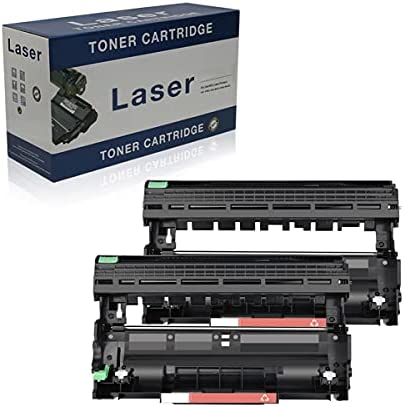
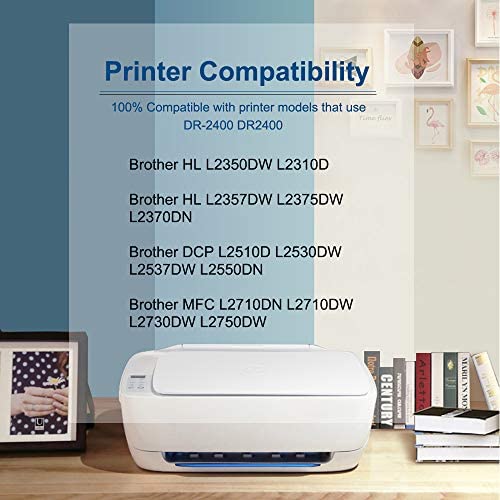
Toner model: BAISINE compatible Brother DR-2400 DR2400 drum
Package includes:
1 x DR-3400 DR3400 Black Drum
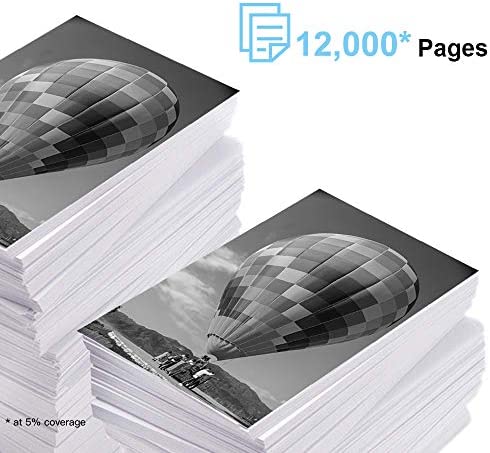
High capacity: 12,000 pages per black drum at 5% coverage.
Compatible with:
Tips: Please confirm your printer model:
HL-L2310D, HL-L2350DW, HL-L2357DW, HL-L2375DW, HL-L2370DN.
DCP-L2510D, DCP-L2530DW, DCP-L2537DW, DCP-L2550DN.
MFC-L2735DW, MFC-L2710DN, MFC-L2710DW, MFC-L2730DW, MFC-L2750DW
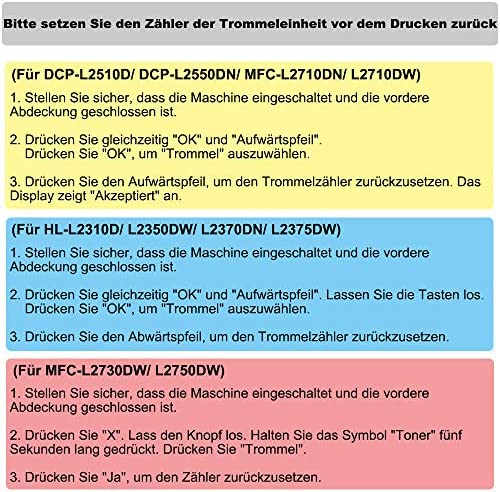
Make sure the machine is turned on and the front cover is closed.
(For DCP-L2510D/ DCP-L2550DN/ MFC-L2710DN/ L2710DW)
1. Make sure the machine is turned on and the front cover is closed.
2. Press “OK” and “upward” at the same time.
Press “OK” to select “Drum”.
3. Press the upward arrow to reset the drum counter. The display shows “accepted”.
(For HL-L2310D/ L2350DW/ L2370DN/ L2375DW)
1. Make sure the machine is turned on and the front cover is closed.
2. Press “OK” and “upward” at the same time. Release the buttons.
Press “OK” to select “Drum”.
3. Press down arrow to reset the drum counter.
(For MFC-L2730DW / L2750DW)
1. Make sure the machine is turned on and the front cover is closed.
2. Press “X”. Release the button. Hold down the symbol “toner” for five seconds. Press “Drum”.
3. Press “Yes” to reset the counter.
Contact us:
Register in your account > Click “Your Account” > Your Orders > Find your order and click on “Contact Seller”
Please reset the counter of the drum unit before printing.
Baisine Compatible Brother DR-2400 DR2400 Drum
Box contents: 1 x Brother DR-2400 DR2400 drum black
Compatible printer models: Brother HL-L2310D / HL-L2350DW / HL-L2357DW / HL-L2375DW / HL-L2370DN / DCP-L2510D / MFC-L2735DW / DCP-L2537DW / DCP-L2550DN / MFC-L2710DN / MFC-L2710DW / MFC-L2730DW / MFC-L2750DW / DCP-L2530DW
Page yield: 12,000 pages per black drum at 5% coverage (letters / A4)